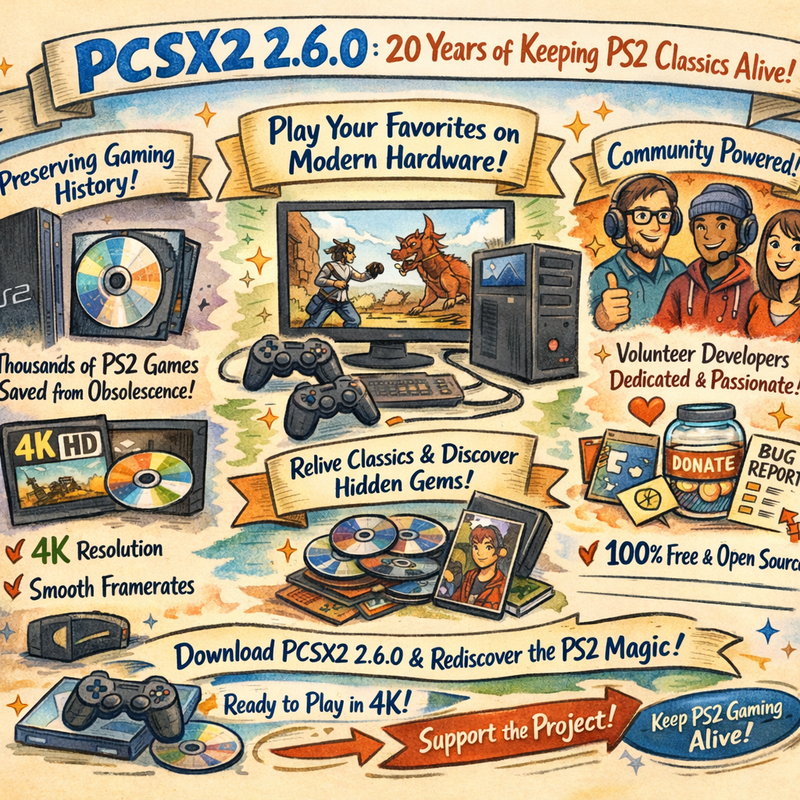
PCSX2 version 2.6.0 officially released on January 4, 2026, continuing the legendary PlayStation 2 emulator’s two-decade journey toward perfect PS2 emulation on PC. The free and open-source project has come impossibly far from its early days when only a handful of homebrew demos would run. Today, PCSX2 boasts compatibility with over 98% of the PS2’s 2,400+ game library, running classics like Final Fantasy X, Devil May Cry 3, and God of War at resolutions the original console could only dream of. If Sony won’t give us proper PS2 backwards compatibility, the passionate community building PCSX2 absolutely will.
Why PCSX2 Still Matters in 2026
The PlayStation 2 remains the best-selling video game console of all time with over 155 million units sold. Its library includes some of gaming’s most beloved titles across every genre imaginable. Yet Sony’s approach to PS2 backwards compatibility has been frustratingly limited. The PS4 offered a tiny selection of about 50 games you could purchase digitally. The PS5 launched without any PS2 support whatsoever. Even PlayStation Plus Premium only includes a fraction of the library.
PCSX2 fills this massive void completely free of charge. Not only can you play virtually any PS2 game, but you can enhance them dramatically beyond what the original hardware could achieve. Native 4K resolution rendering makes games look sharper and cleaner than they ever appeared on the PS2’s standard-definition output. Widescreen patches transform 4:3 games into proper 16:9 experiences. Texture filtering smooths out pixelated surfaces. Frame rate patches unlock 60 FPS in games originally locked to 30. The list goes on.
Most importantly, if you still own your original PS2 game discs, you can simply pop them into your PC’s optical drive and play legally. The emulator itself contains no Sony code, making it entirely legal software. The only gray area involves the PS2 BIOS files required to run the emulator, which technically should be dumped from your own console rather than downloaded from sketchy websites. But once you have those files, your entire physical PS2 collection becomes playable on modern hardware with massive visual improvements.

The Journey to Version 2.6.0
PCSX2 has been in continuous development for over 20 years. The project started in 2001 when the PlayStation 2 was barely a year old. Early versions could only run basic demos and homebrew applications. The PS2’s complex architecture with its Emotion Engine CPU, Graphics Synthesizer, and multiple processors made accurate emulation incredibly challenging. Progress came slowly through years of dedicated reverse engineering and optimization.
Major milestones arrived gradually. Version 1.0 in 2012 represented the first truly stable release with broad game compatibility. Version 1.6.0 in 2016 brought four years of accumulated improvements. Then came a massive jump with PCSX2 2.0 in July 2024, which the team called their biggest single release to date. That update introduced Vulkan API support, massive performance improvements, a modern Qt-based user interface, and eliminated the old plugin system that had complicated setup for years.
Version 2.2 and 2.4 followed in 2025, continuing the modernization efforts with render target improvements that fixed numerous graphical glitches, debugger redesigns for developers, Direct3D 11 optimizations, and expanded macOS and Linux support. Each release focused on making PCSX2 faster, more accurate, and easier to use. Version 2.6.0 builds on this foundation with the latest six months of improvements rolled into a stable package.
Understanding PCSX2’s Release Structure
PCSX2 development happens continuously through nightly builds that go out almost daily with new fixes and features. These bleeding-edge versions include the absolute latest improvements but may also contain bugs or incomplete features. The nightly builds bypass stable version numbers entirely, jumping from something like 2.5.412 directly to 2.7.0 after the 2.6.0 stable release.
Stable releases like 2.6.0 represent carefully tested snapshots where the development team feels confident the software works reliably for most users. They take time to verify no critical bugs exist before cutting a stable build, ensuring people who download PCSX2 for the first time get a polished experience. Power users who want absolute cutting-edge features typically run nightly builds, while casual users benefit from stable releases that emphasize reliability.

Key Features That Make PCSX2 Special
Beyond just running PS2 games, PCSX2 offers enhancements that make revisiting classics genuinely exciting. Resolution scaling allows rendering at 2x, 3x, 4x, or even higher multiples of the original 640×448 resolution. A game that looked acceptably detailed on a CRT television in 2002 transforms into a sharp, clean experience on a modern 4K display. Some games benefit more than others, with titles featuring detailed textures and clean geometry looking especially impressive upscaled.
The GameDB system automatically applies game-specific fixes and optimizations for hundreds of titles. When you load a game, PCSX2 checks its database and configures optimal settings without requiring manual tweaking. This includes things like recommended speed hacks, widescreen patches, compatibility fixes, and rendering mode suggestions. The database constantly expands as the community tests games and contributes fixes, making each PCSX2 release more compatible and polished.
Controller support has evolved dramatically. Modern DualShock 4 and DualSense controllers work natively without requiring third-party tools like DS4Windows. Xbox controllers map perfectly. Even unusual peripherals like dance mats, guitars, and fishing rod controllers can be configured. The pressure-sensitive face buttons that made PS2 controllers unique remain tricky to fully emulate with modern gamepads, but various workarounds exist for the few games that relied on them extensively.
Save states provide modern convenience the PS2 lacked. You can save your exact position in any game at any time, then reload instantly. This makes difficult games less frustrating and allows experimentation without consequence. Combined with fast-forward functionality that speeds through slow sections, PCSX2 transforms how you experience PS2 games, removing much of the tedium that came from hardware limitations and developer design choices from two decades ago.
Performance and Compatibility
Running PCSX2 smoothly requires decent but not extreme hardware. A modern CPU with strong single-thread performance matters most since PS2 emulation remains largely CPU-bound despite GPU enhancements. A passmark single-thread score around 1500 represents the minimum for playable performance, while scores above 2000 ensure smooth 60 FPS in most games. Six-core CPUs with good single-thread speeds like AMD Ryzen 5 or Intel Core i5 processors from recent generations handle PCSX2 excellently.
GPU requirements stay surprisingly modest. A mid-range card like the GTX 1650 or RX 570 handles most games at 4K internal resolution without issue. More powerful GPUs help with extremely demanding titles or when using intensive upscaling filters, but the PS2’s relatively simple graphics architecture doesn’t stress modern hardware nearly as much as newer console emulators. Even integrated graphics on modern CPUs can run PCSX2 at native resolution reasonably well.
Compatibility remains incredibly high. The PCSX2 website maintains a compatibility database where users report whether games work perfectly, have minor issues, or remain unplayable. The vast majority fall into the playable or perfect categories. Some titles require specific settings or hacks to run correctly, while a tiny fraction still need software rendering mode for certain effects. But if you randomly picked a PS2 game from the library, odds overwhelmingly favor it running well in PCSX2.

Setting Up PCSX2 in 2026
Getting started with PCSX2 has never been easier thanks to years of interface improvements. Download the latest version from the official PCSX2 website. The installer guides you through basic setup. You’ll need PS2 BIOS files, which should legally be dumped from your own console using tools the PCSX2 site provides. Once you have the BIOS installed, point PCSX2 toward your game folder, whether that’s physical discs, legal disc backups, or digital purchases.
The modern Qt interface introduced in recent versions makes configuration straightforward. Gone are the days of navigating complicated plugin menus and cryptic settings. PCSX2 now presents clear options organized logically. Graphics settings let you choose your renderer, set internal resolution, and toggle enhancements. Audio configuration ensures sound works correctly. Input mapping walks you through controller setup with visual guides.
For most games, default settings work perfectly. The automatic game fixes applied through the GameDB handle compatibility issues without user intervention. Advanced users can dive into per-game settings if they want to fine-tune specific titles, but casual players can simply load games and play. The emulator even downloads cover art automatically, creating an attractive game library grid that makes browsing your collection pleasant.
The Community Behind PCSX2
PCSX2’s longevity and success come from its passionate open-source community. Dozens of developers have contributed code over the years, with some like former lead developer refraction spending years implementing complex features. These programmers work for free in their spare time, driven purely by love for PS2 games and technical challenges. The project has received millions in equivalent development work donated by volunteers.
The community extends beyond programmers. Database maintainers test thousands of games and document fixes. Artists create icons and interface elements. Writers produce documentation and tutorials. Forum moderators help users troubleshoot issues. Discord community members share save files, patches, and tips. This collaborative ecosystem keeps PCSX2 improving long after most commercial software would have been abandoned.
Regular progress reports on the PCSX2 blog explain technical improvements in accessible language. Videos demonstrate graphical fixes showing before-and-after comparisons. The transparency about development progress builds trust and excitement within the community. Users see that their bug reports lead to fixes, their suggestions influence features, and their support matters. This virtuous cycle sustains PCSX2’s ongoing development.
Frequently Asked Questions
Is PCSX2 legal to use?
Yes. The emulator itself contains no copyrighted Sony code and is entirely legal. Using it with games you own is legal. Dumping BIOS from your own PS2 is legal. Downloading BIOS files or pirated games is illegal.
What platforms does PCSX2 run on?
PCSX2 supports Windows 10/11, macOS 11 or newer, and Linux distributions like Ubuntu and Arch. The Windows version typically gets the most development attention and optimization.
Can I use my original PS2 discs?
Yes. If your computer has an optical drive, you can insert PS2 discs and play directly from them. Performance may be slower than playing from disc images on your hard drive.
Do I need a powerful PC?
Not extremely powerful, but decent. A modern mid-range CPU and GPU handles most games at 1080p-4K resolution smoothly. Integrated graphics on recent processors can run games at native resolution.
What’s the difference between stable and nightly builds?
Stable builds like 2.6.0 are tested releases recommended for most users. Nightly builds update daily with the latest features and fixes but may contain bugs. Power users prefer nightlies while casual users should stick with stable.
Can I use modern controllers?
Yes. DualShock 4, DualSense, Xbox controllers, and most standard gamepads work great. Native support means no third-party tools required.
Will every PS2 game work?
Over 98% of games are playable or perfect. A tiny fraction have issues or don’t work yet. Check the compatibility database on the PCSX2 website for specific titles.
How do I get better graphics than the original PS2?
Enable internal resolution upscaling in graphics settings. Options like texture filtering, anisotropic filtering, and shader effects further enhance visuals. Widescreen patches transform 4:3 games to 16:9.
Should I download version 2.6.0 or nightly builds?
If you’re new to PCSX2, download the stable 2.6.0 release. If you’re comfortable with potential bugs and want cutting-edge features, try nightly builds.
Where do I get PS2 BIOS files?
Legally, you dump them from your own PS2 console using tools provided on the PCSX2 website. Downloading BIOS files from the internet violates copyright.
Final Thoughts
PCSX2 2.6.0 represents another milestone in the emulator’s incredible 20-year journey. What started as a barely-functional experiment has matured into the definitive way to experience PlayStation 2 games on modern hardware. The fact that volunteers created this software for free, maintained it for two decades, and continue improving it regularly stands as one of gaming’s most impressive community achievements.
Sony’s refusal to properly support PS2 backwards compatibility makes PCSX2 essential for preserving gaming history. Thousands of PS2 titles would be trapped on aging hardware gradually dying of old age without emulation. PCSX2 ensures that games from the best-selling console ever made remain playable for future generations, enhanced beyond what their original platforms could deliver.
Whether you’re revisiting childhood favorites, experiencing PS2 classics you missed, or discovering hidden gems from the console’s massive library, PCSX2 offers the best possible experience. Download version 2.6.0 from the official website, grab your old PS2 discs or legal backups, and rediscover why the PlayStation 2 dominated gaming for years. The emulator is free, the games still hold up, and seeing them rendered at 4K with smooth framerates creates genuine magic.
The PCSX2 team deserves immense credit for their dedication. These developers work without financial compensation, driven purely by passion for preservation and technical excellence. If PCSX2 has enhanced your gaming experience, consider supporting the project through donations, bug reports, or simply spreading the word. Every bit helps sustain development for the next 20 years of keeping PS2 games alive and playable long after the original console hardware fades into history.